Prabodham Prasad · 2025
Keeping a volunteer kitchen in sync, from grocery list to the last plate.
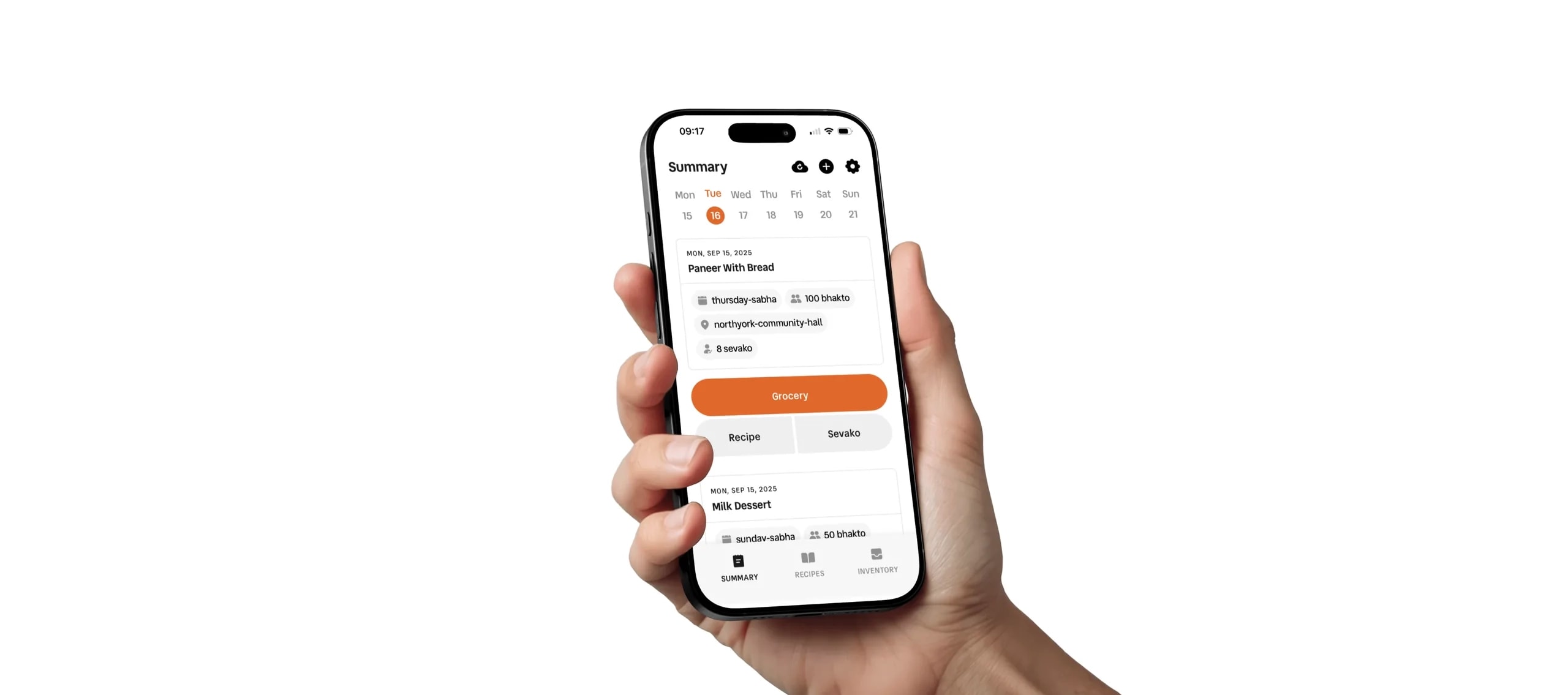
A mobile-first app that replaced WhatsApp threads and paper lists for kitchens serving 200 to 300 meals per service and over 1,000 meals a week.
- Role
- Timeline
- Platform
- Users
- Status
In short
- Challenge
- Coordinating 15–20 volunteers over WhatsApp meant missed tasks, repeated questions and missing groceries.
- Approach
- One glanceable app where the menu drives recipes, grocery lists and tasks automatically.
- Outcome
- Piloted with 15 volunteers for a month. No more “what’s my job?” calls, and more accurate grocery runs.
Context
Cooking for hundreds is easy compared to coordinating the people who do it.
Prabodham Prasad runs volunteer kitchens that cook 200 to 300 meals per service and over 1,000 meals a week. Each kitchen relies on 15 to 20 volunteers, many of them older and new to apps.
I turned a system of WhatsApp groups and paper notes into one clear app, so every volunteer knows exactly what their job is today.
Problem
Important information was buried in group chats.
Leaders spent hours answering the same questions, and volunteers showed up unsure what to do. I called this the coordination tax: tiring for leaders and confusing for everyone else.
- Tasks and updates got lost in busy WhatsApp threads.
- Volunteers had no clear list of today’s tasks.
- Hand-written grocery lists led to missing items.
Where the information lived
- WhatsApp groups
- Paper lists
- Phone calls
- People’s memory
Prabodham Prasad app
One shared source of truth
Everyone knows today’s job
No digging, no repeat calls
How do you keep a kitchen calm when you are managing 15+ volunteers across multiple locations?
Research
I spent days in the kitchen before drawing a single screen.
I didn’t want to guess. I watched volunteers work and talked to everyone, from the people chopping vegetables to the coordinators ordering groceries.
- Contextual inquiry: shadowed meals from prep to serving.
- Interviews: 11 users about their daily workflows.
- Audit: traced where information got lost in WhatsApp.
Three types of users
- Leaders: plan the week and make sure every task is covered.
- Kitchen volunteers: need a clear view of today’s tasks.
- Admins: need a high-level view across locations.
Insights
The real problem was coordination, not cooking.
- 01
We learned
Many volunteers are older and rarely use apps.
So I designed
No accounts or passwords. A team code gets you in instantly.
- 02
We learned
Hands are busy and the kitchen is loud.
So I designed
Glanceable task cards with big type and large touch targets.
- 03
We learned
A menu change broke every list downstream.
So I designed
Connected data. Change the menu, and groceries and tasks update themselves.
- 04
We learned
Volunteers only care about today.
So I designed
A shallow IA with “Today” as the home screen. No digging through tabs.
Decisions
Change one thing, and everything else updates itself.
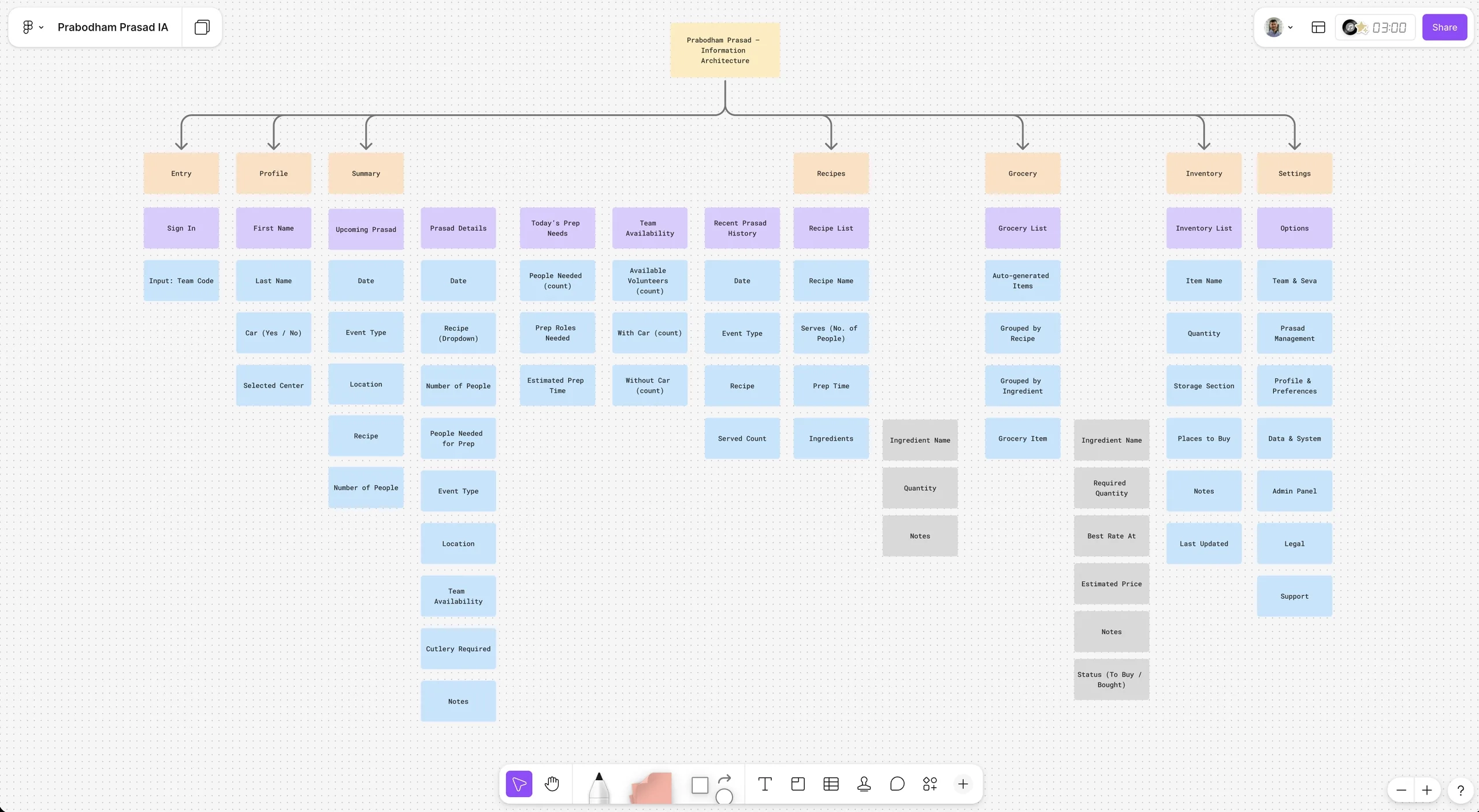
I structured the data so recipes, inventory and volunteer availability are all connected. When a leader updates the menu, the rest of the system follows. You can see the full IA map in Figma.
One update, four results
- 01
Menu
Leader picks today’s dishes
- 02
Recipes × headcount
Quantities scale automatically
- 03
Grocery list
Merged across all recipes
- 04
Tasks
Assigned to who is in today
Finding the right home screen
Options explored
Kanban board
DroppedDragging cards was too complex for first-time app users.
Calendar
DroppedGood for planning the month, slow for today’s work.
Chat-based app
DroppedRecreated the WhatsApp mess it was meant to replace.
Role-based “Today” dashboard
ChosenPuts today’s job front and center, tailored to each role.
Solution
A warm, glanceable app that anyone can pick up.
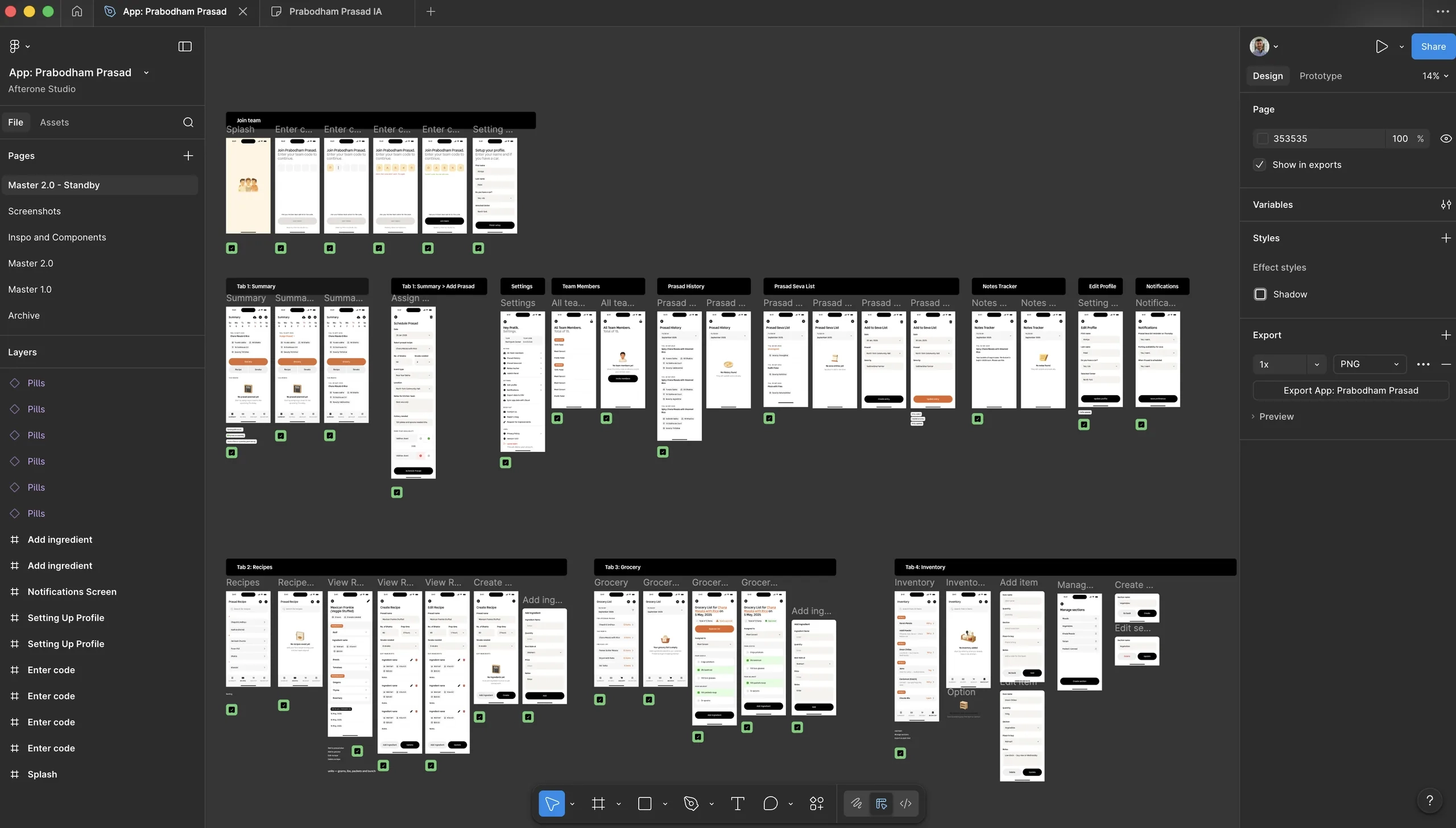
The visual design uses warm orange tones to feel like community, not work. Every screen follows four rules: glanceable, warm, big targets, and consistent. See the full Figma file.
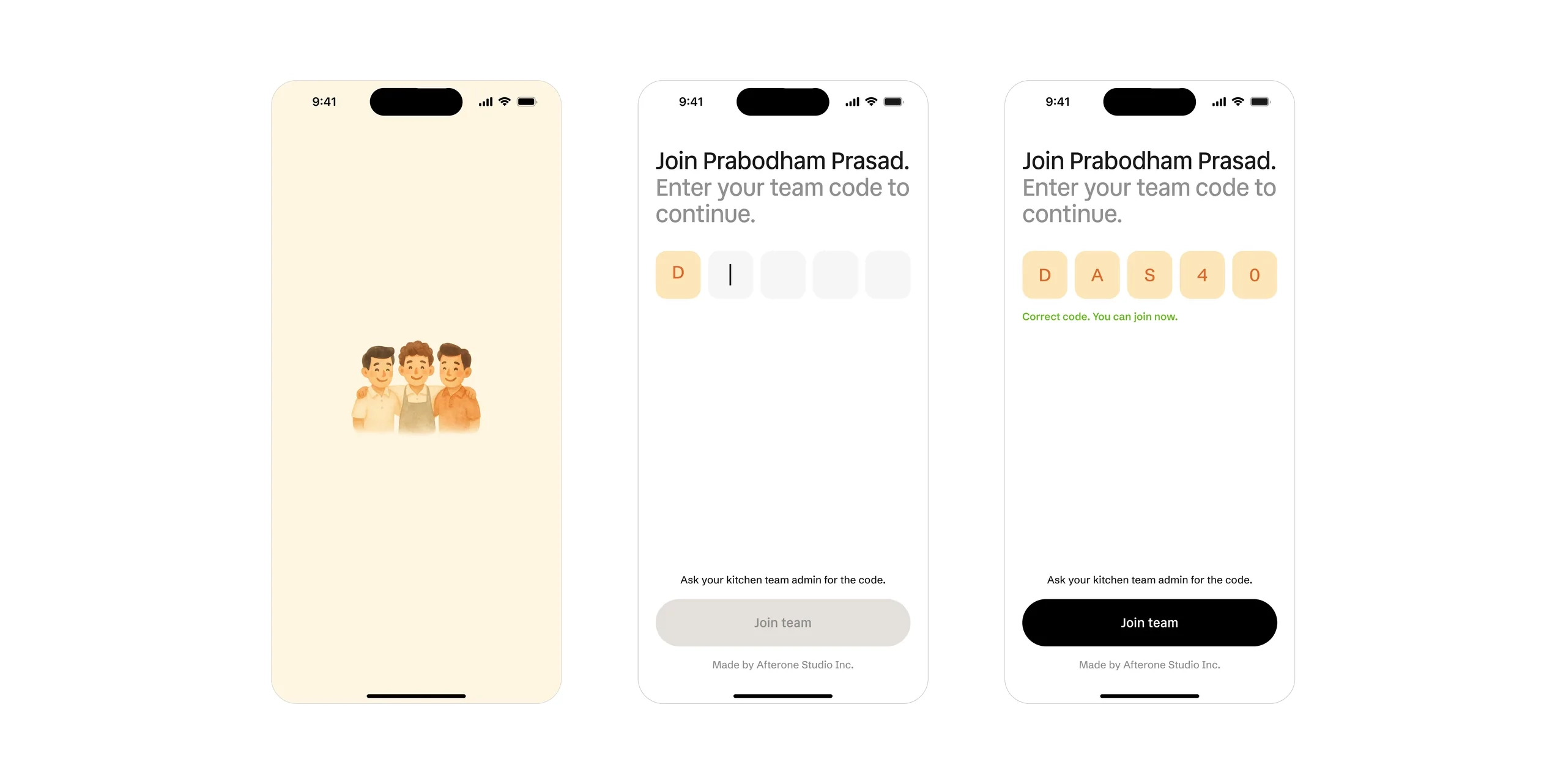
Zero-friction access
No emails, no passwords. A team code gets volunteers in, grouped with their kitchen.
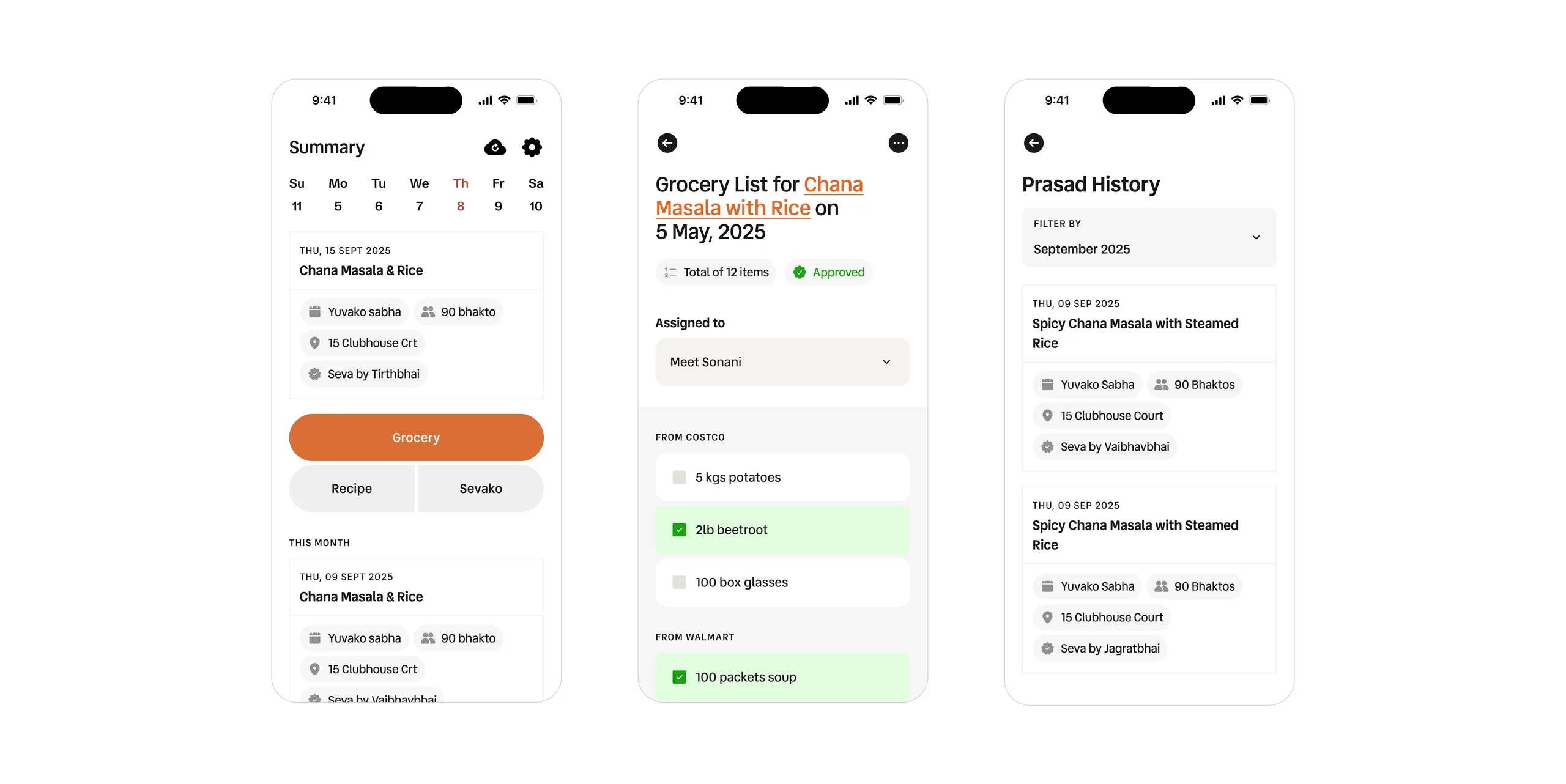
Grocery lists that write themselves
- Ingredients scale to the headcount.
- Items from every recipe merge into one list.
- Live updates prevent double ordering.
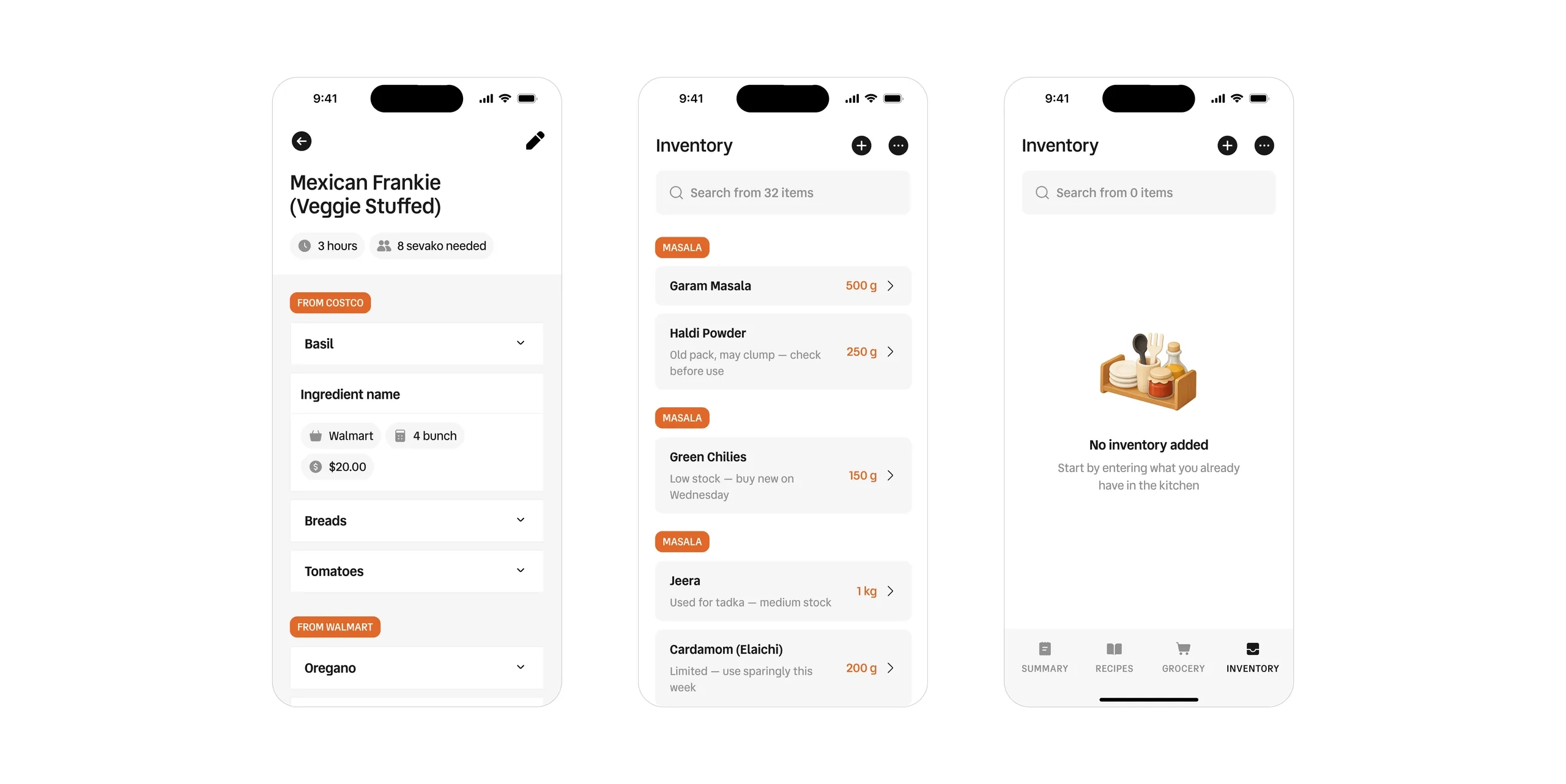
Recipes and inventory
Standard recipes keep the taste consistent. Live inventory tracking prevents last-minute shortages and reduces waste.
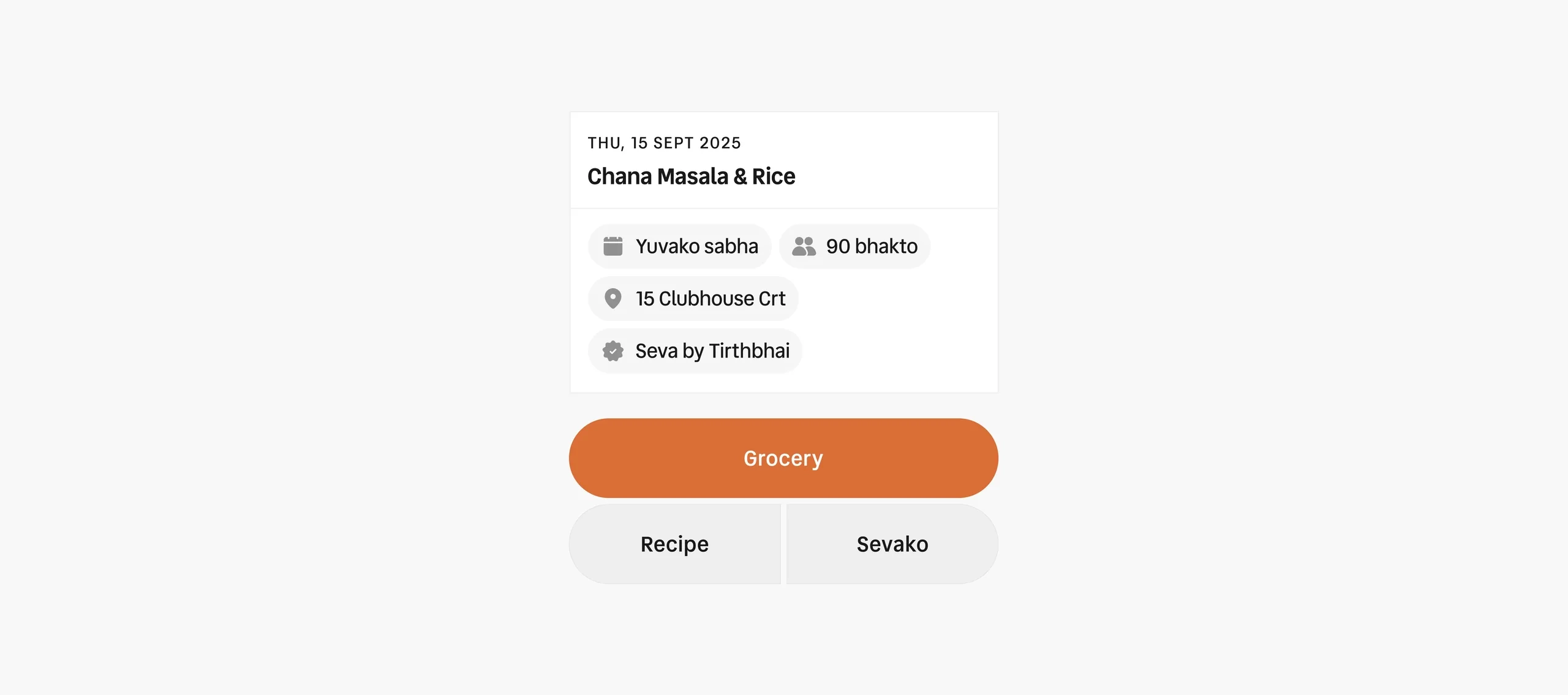
Designed for busy hands
Large touch targets for quick taps mid-task, and friendly empty states that tell volunteers what to do next.
Impact
Less time coordinating, more time cooking.
- Meals per week
- 1,000+
- Meals per service, at peak
- 300
- Kitchen members onboarded
- 20+
- No more “what’s my job?” calls before a shift.
- Less food waste thanks to accurate grocery lists.
- Leaders save hours of messaging every week.
- Volunteers arrive prepared and ready.
What the pilot changed
I gave the app to 15 volunteers for a month of real service. Their feedback led to three fixes:
- Larger type, so nobody had to squint.
- Push notifications for task reminders.
- A simpler first-tap onboarding.
Reflection
In a busy environment, clarity beats features.
People didn’t want clever features. They wanted an app that made their day easier. The best design decisions here were the things I removed.
What I would do differently:
- Co-design core tools with leaders from day one.
- Test paper prototypes earlier to catch navigation issues.
- Add analytics early to see where users get stuck.