
Sheetsbase · 2026
AI formula help that lives inside Google Sheets, so you never leave your data.
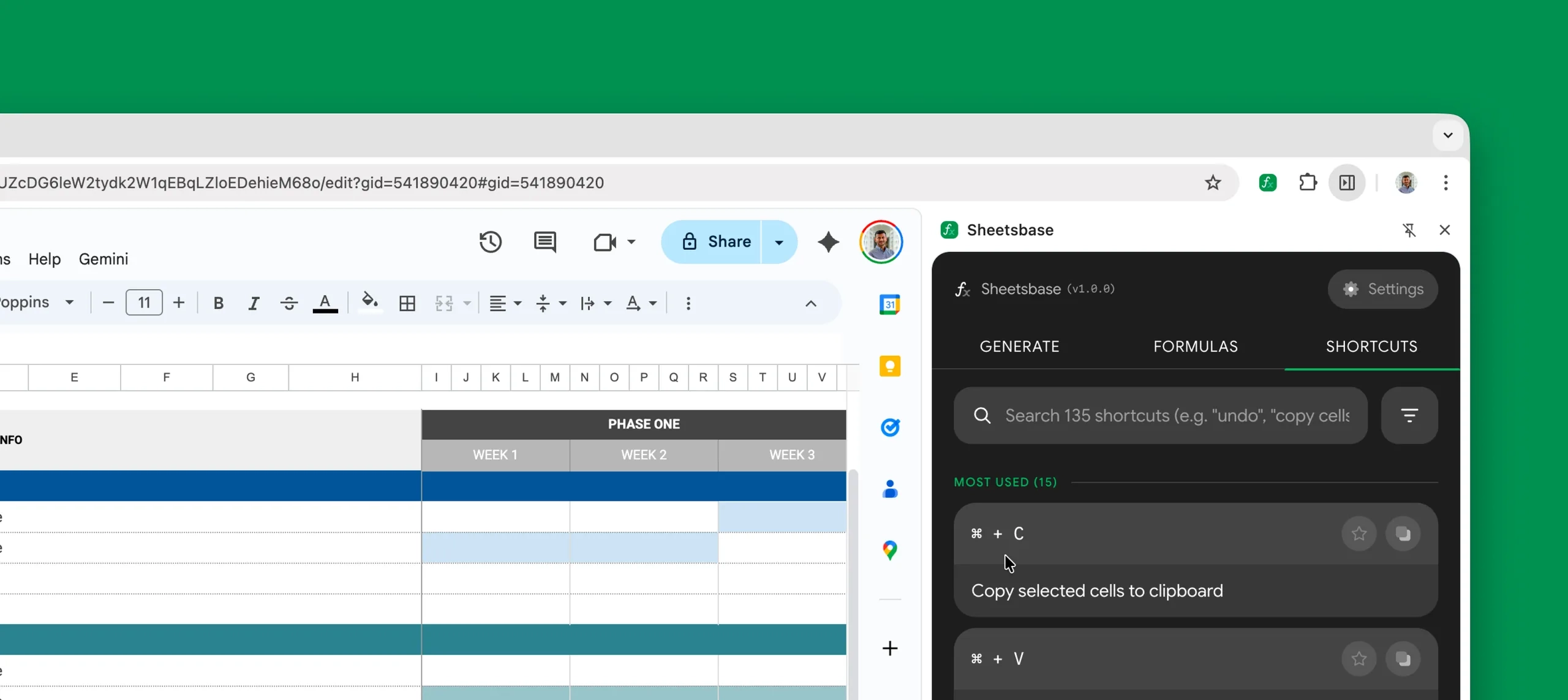
Sheetsbase is a Chrome extension that writes, explains and speeds up spreadsheet formulas from a side panel next to your sheet.
- Role
- Research
- Platform
- Focus
- Status
In short
- Challenge
- People leave their sheet to search for formulas in other tabs. I called it the context-switch tax.
- Approach
- A side panel that sits beside the data, writes the formula, and explains every step of it.
- Outcome
- 100+ active installs, a 5.0 star rating, and 50% higher user confidence with formulas.
Context
Millions of people use Sheets. Most of them struggle with formulas.
Google Sheets has over 900 million users. When a formula gets tricky, they open a new tab, search Google, ask ChatGPT, copy the answer and paste it back. Then they fix it when it breaks.
Sheetsbase brings that help into the sheet itself. Describe what you want in plain English, and the formula appears right where you need it.
Problem
Every trip to another tab breaks the user’s flow.
Each switch away from the sheet costs focus and time. I called this the context-switch tax, and the goal was to remove it completely.
Getting one formula right
Before
- 01Get stuck on a formula
- 02Open a new tab
- 03Search Google or ask ChatGPT
- 04Copy the answer
- 05Switch back and paste
- 06Debug when it breaks
6 steps, 2+ tabs
With Sheetsbase
- 01Describe it in the side panel
- 02Insert into the cell
2 steps, 0 tabs
How might we bring AI formula help into Google Sheets so users never have to leave?
Research
I talked to 12 power users. They all described the same frustration.
I interviewed analysts at startups, finance teams at larger companies and everyone in between. Formulas are hard, and searching for help breaks their focus.
“I have 20 tabs open just to remember how to write a complex INDEX-MATCH. It’s not just the search. It’s the mental shift.”
Who lives in spreadsheets:
- Analysts who build reports and dashboards every day.
- Ops teams who track inventory, schedules and workflows.
- Founders who run finances and planning in Sheets.
- Students who use Sheets for projects and assignments.
Insights
Users don’t just want formulas. They want to understand them.
A tool that only spits out code feels like a black box. Trust had to come before speed.
- 01
We learned
People don’t trust a formula they can’t read.
So I designed
Every formula comes with a step-by-step explanation. Users learn as they go, which builds trust.
- 02
We learned
Anything that covers the sheet gets closed.
So I designed
A docked side panel that sits beside the data, never on top of it.
- 03
We learned
Power users live on the keyboard.
So I designed
A shortcuts tab with 130+ Sheets shortcuts and fully keyboard-driven navigation.
- 04
We learned
Slow answers send people back to Google.
So I designed
One input, one result, inserted straight into the active cell.
Decisions
A small panel forced every decision to earn its space.
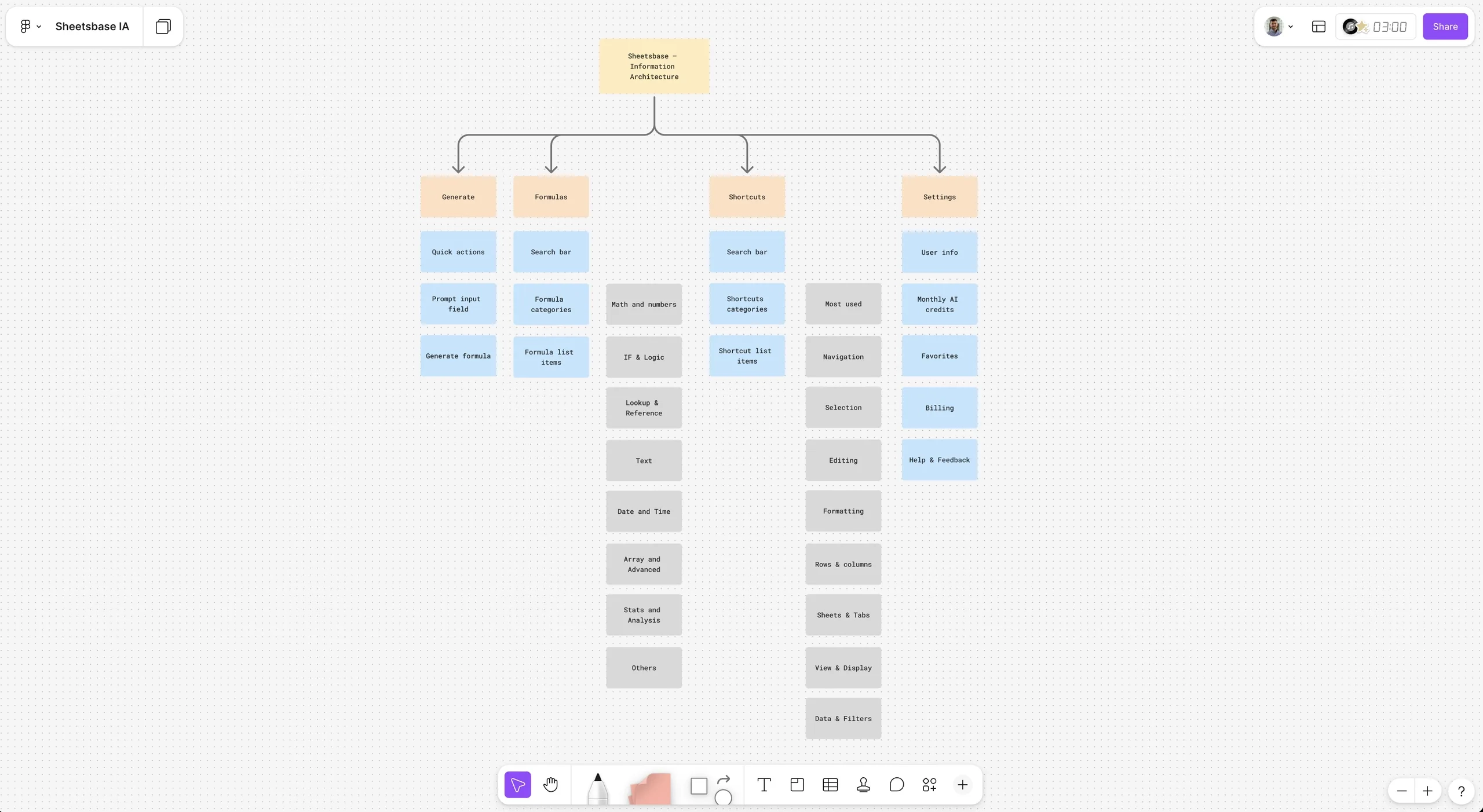
The side panel is narrow, so the information architecture had to stay flat. Everything is one click away: generate, explain, shortcuts and history.
Options explored
Overlay injected into Sheets
DroppedCovers the grid, and breaks when Google changes its UI.
Chrome Side Panel API
ChosenStays docked beside the data and survives page reloads.
Chat-first interface
DroppedFelt heavy in a narrow panel. Users wanted results, not a conversation.
Single input field
ChosenType what you need, get one formula. Fastest path to value.
Solution
Three tabs: write it, understand it, do it faster.
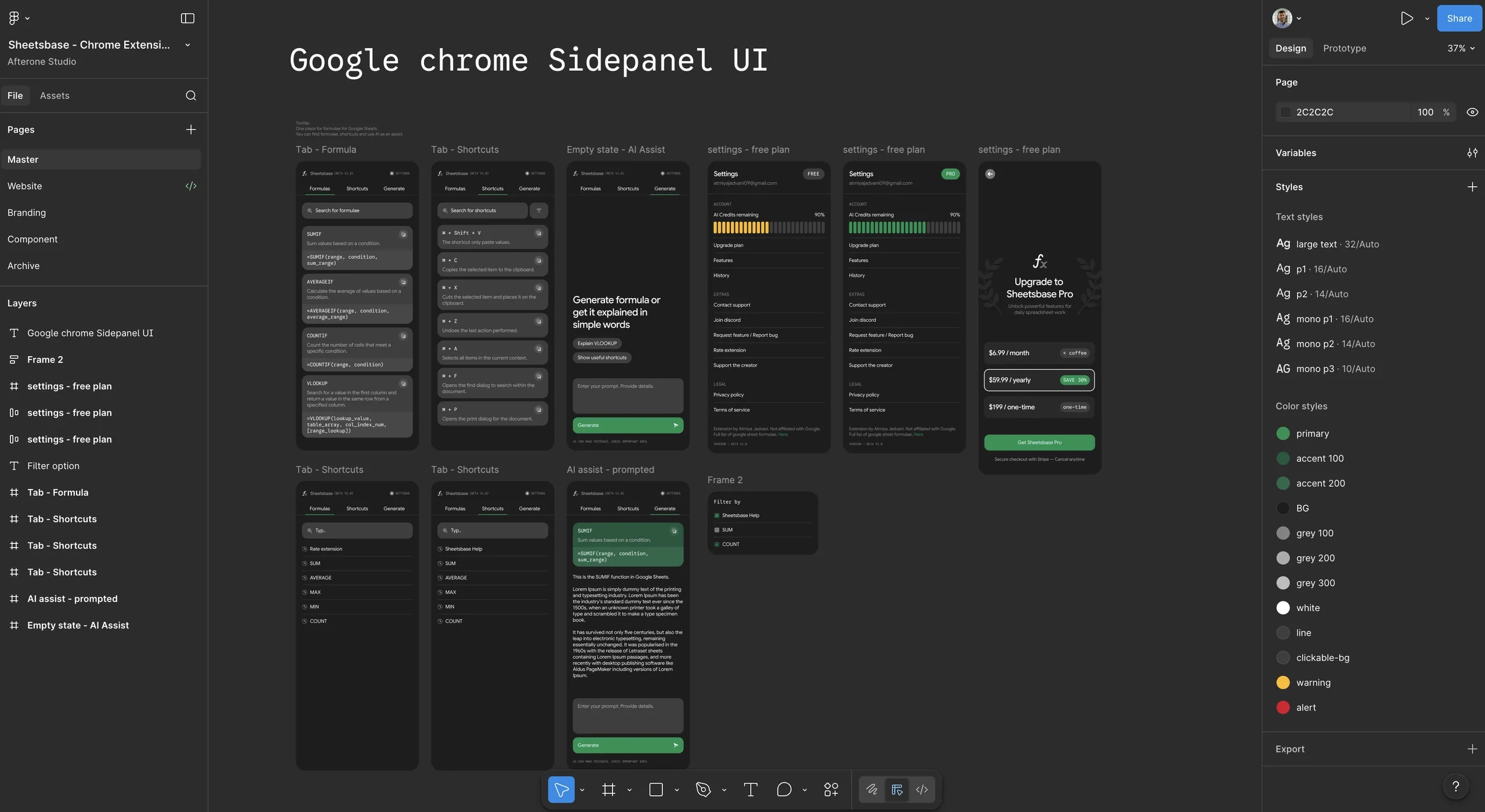
The visual design matches Google’s own UI, so Sheetsbase feels native. The rules were simple: minimal, familiar, one action per screen, and instant feedback. See the full Figma file.
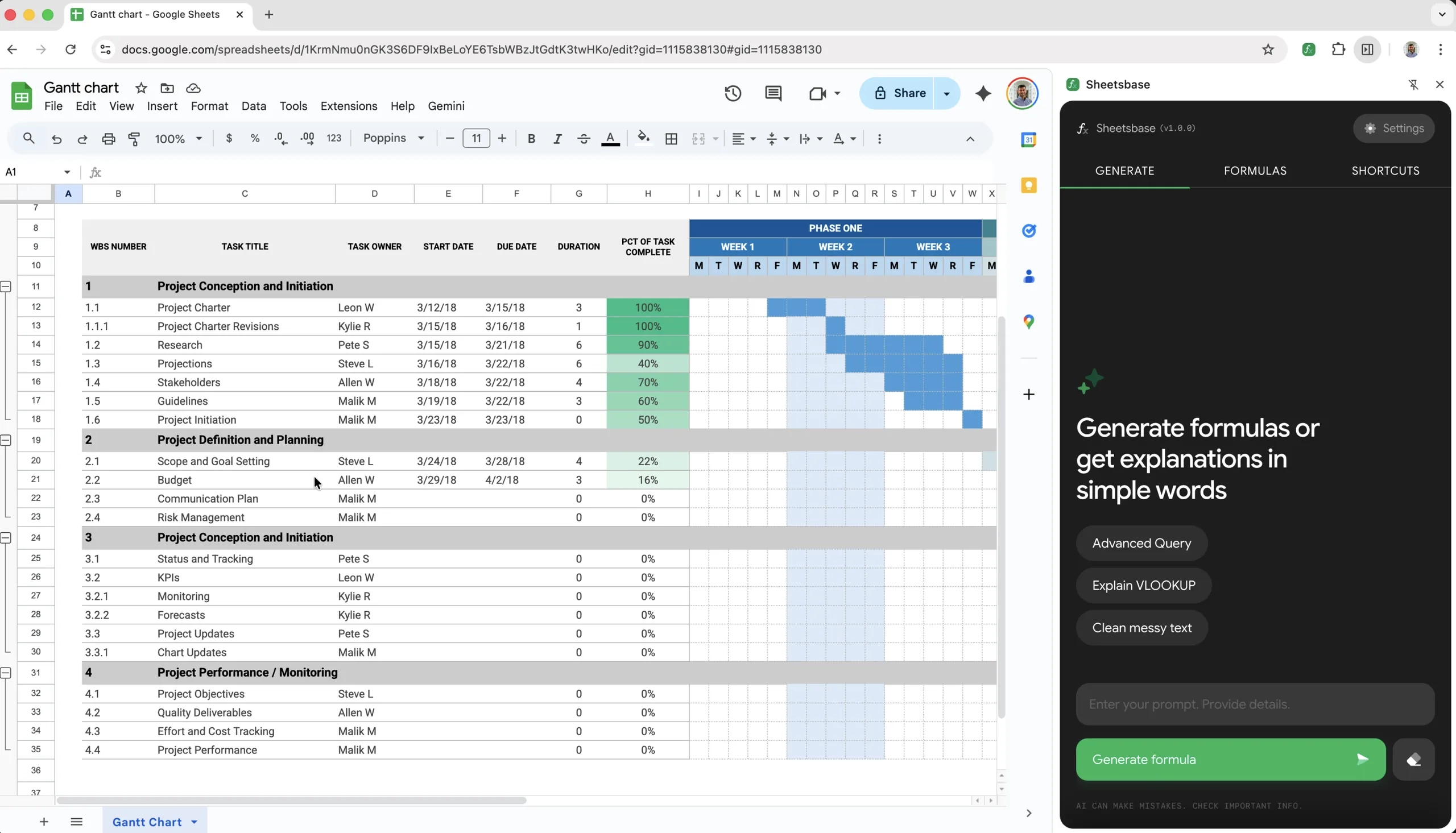
Generate: plain English in, formula out
- Natural language to formula, including complex logic and cross-sheet references.
- Inserts straight into the active cell.
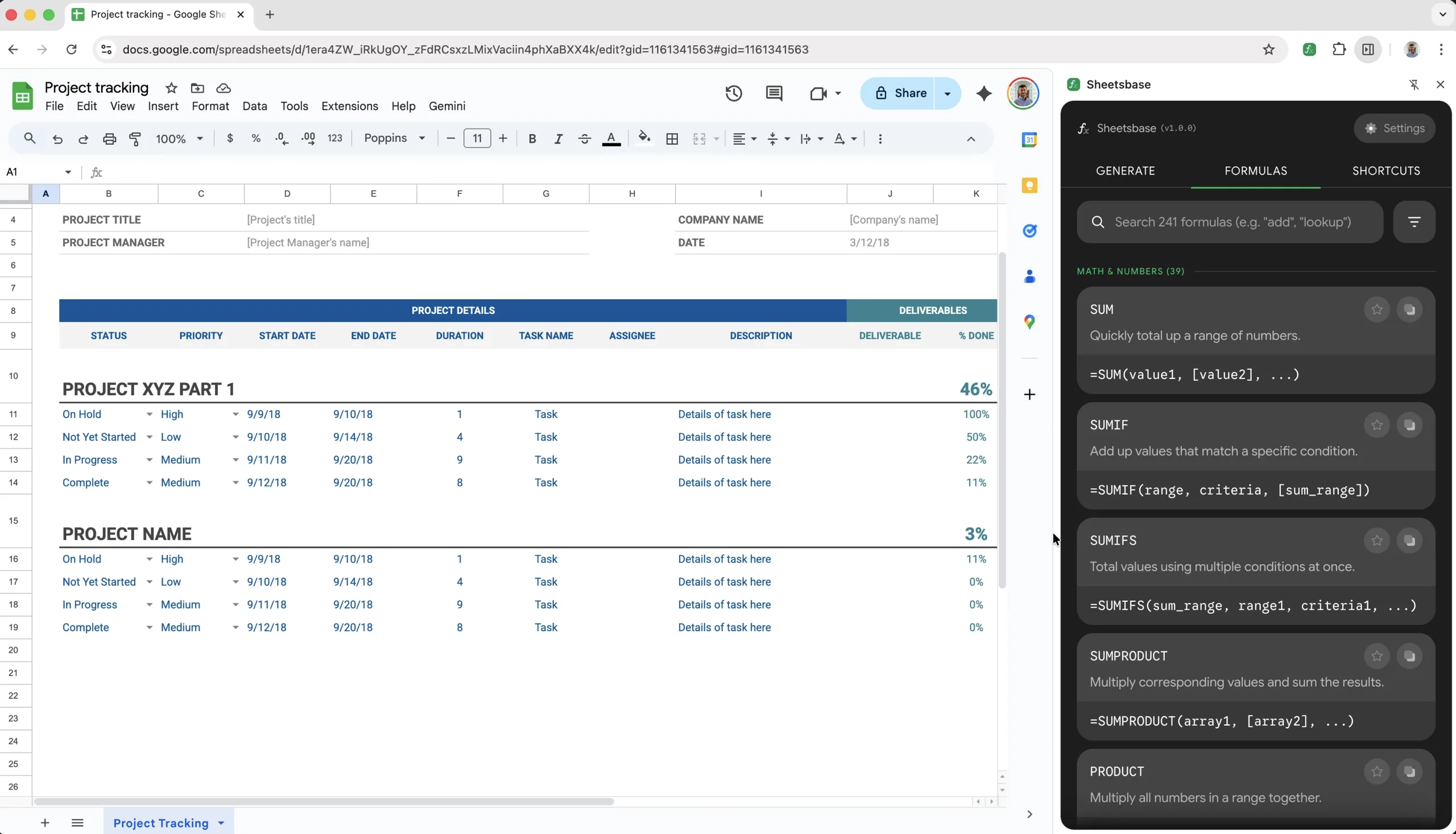
Formula: learn how it works
- A library of 240+ supported formulas and functions.
- Step-by-step breakdowns, so users understand what they insert.
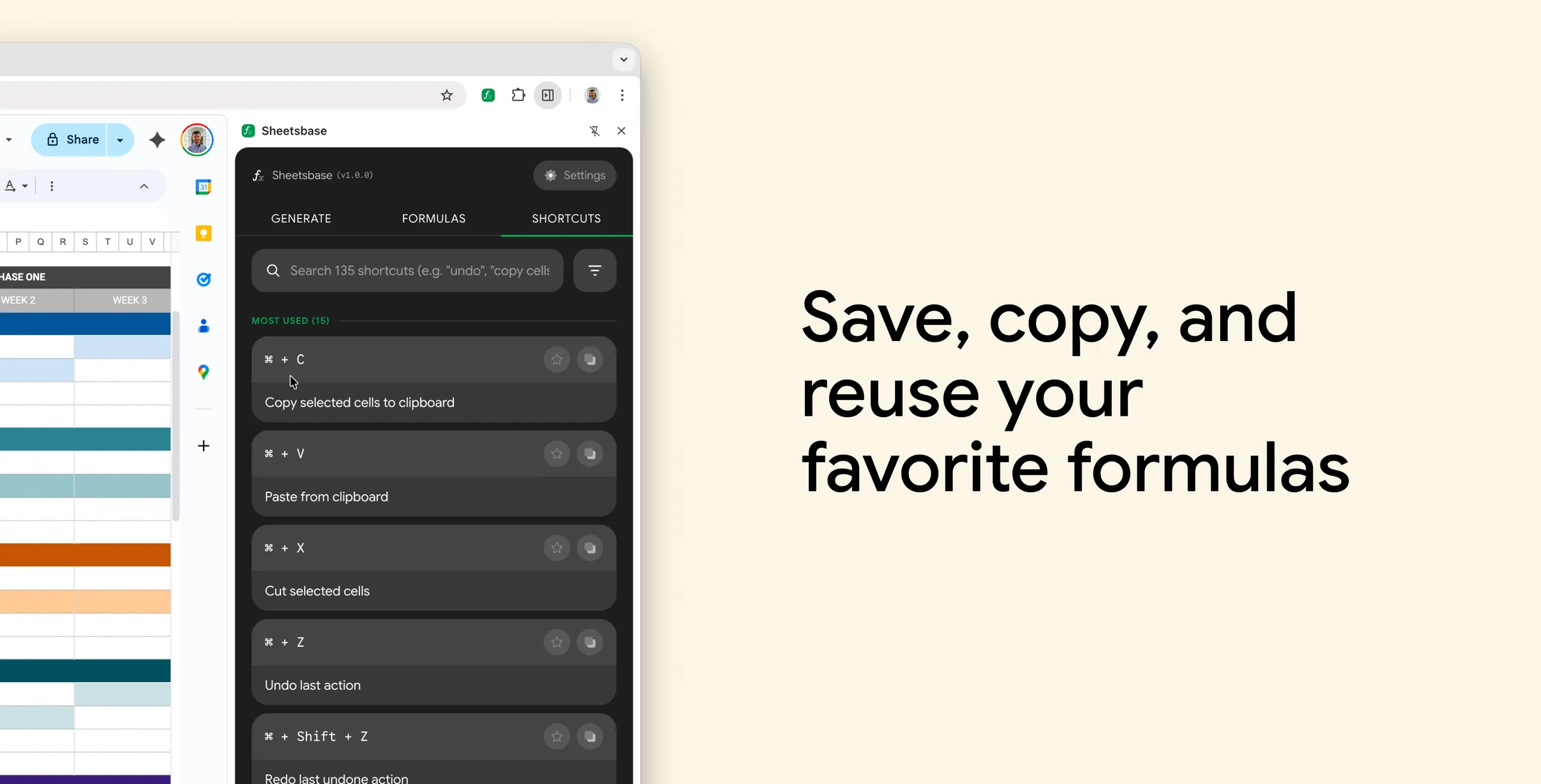
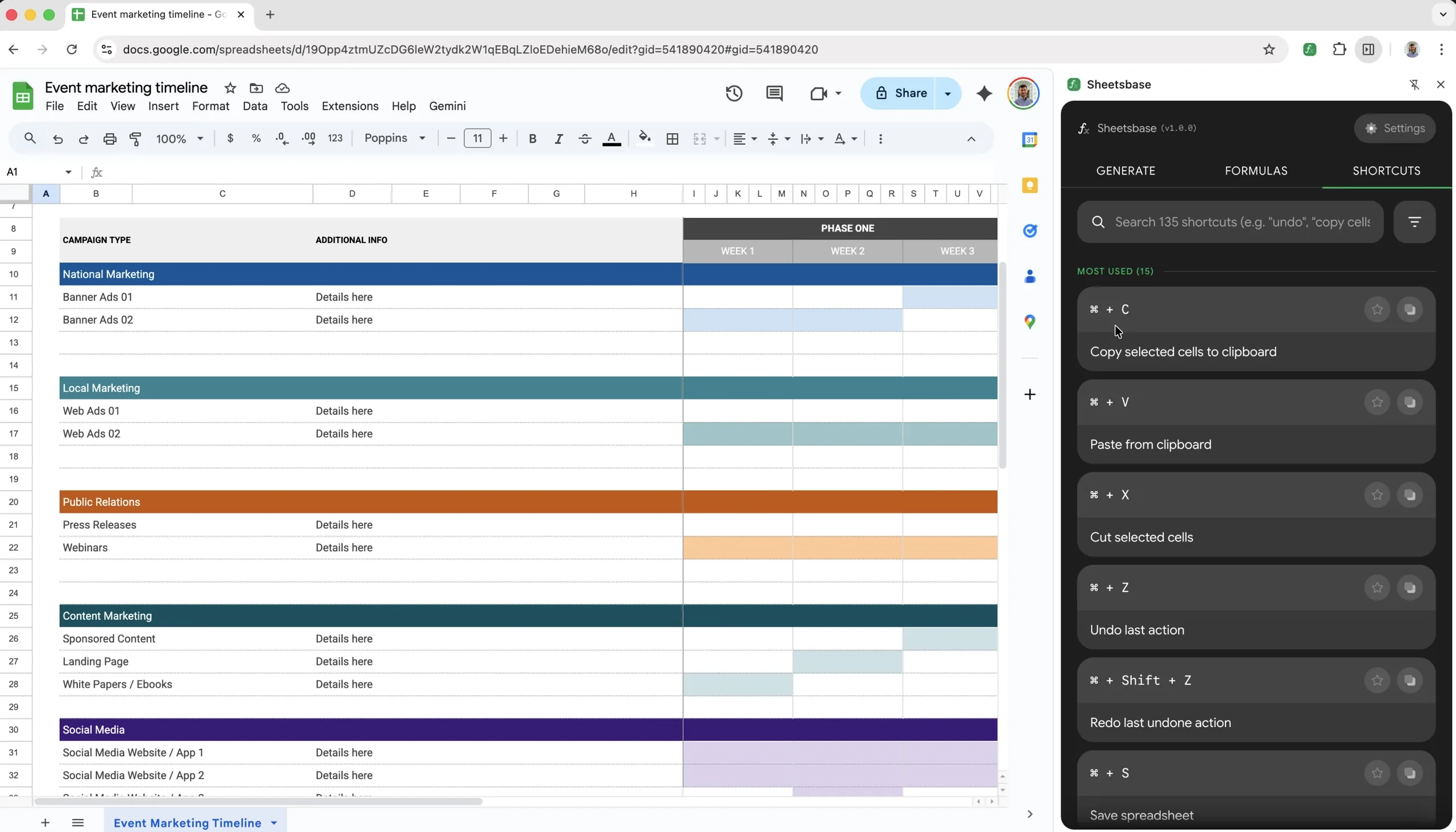
Shortcuts: built for power users
- Instant access to 130+ Google Sheets shortcuts.
- Keyboard-only navigation inside the panel.
Impact
Users stopped leaving Sheets to find formulas.
- Active installs
- 100+
- Star rating
- 5.0
- User confidence with formulas
- +50%
- Analysts reported saving hours every week.
- The explanations helped users actually learn formulas.
- Growth was fully organic, through word of mouth.
What launch taught me
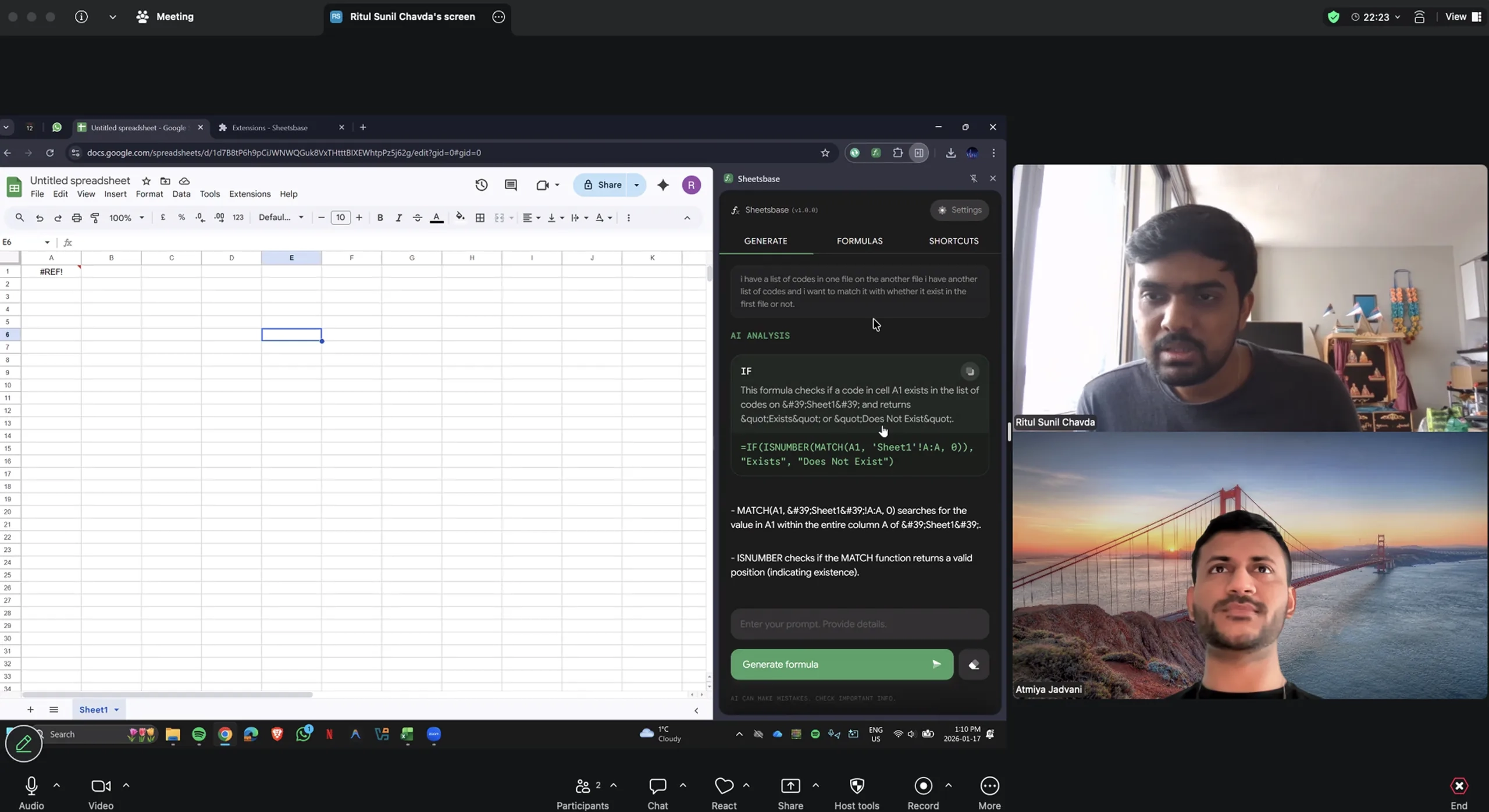
I shipped to the Chrome Web Store early and watched feedback closely. Real usage drove three quick fixes:
- Faster time to first formula.
- Clearer error messages when something goes wrong.
- A short onboarding tutorial for first-time users.
Reflection
The best tools disappear into the workflow.
Users don’t want to think about the tool. They want to finish their work. By staying inside Sheets, Sheetsbase became part of how people already work.
What I would do differently:
- Launch even earlier to learn from real usage.
- Build the explanation feature from day one.
- Set up product analytics before launch, not after.