Theora · 2026
From scattered customer feedback to product decisions you can defend.
Theora is an AI-native workspace for product managers. Think Cursor, but for deciding what to build next.
- Role
- Type
- Platform
- Focus
- Deliverable
In short
- Challenge
- PMs spend more time hunting for the “why” behind a feature than deciding what to build.
- Approach
- One workspace that links every decision to customer evidence, with AI that flags weak assumptions as you write.
- Outcome
- A 0→1 concept across five views, from opportunity triage to AI-assisted spec writing.
Context
Product teams don’t lack data. They lack a way to make sense of it.
Teams collect plenty of feedback. It lives in Slack threads, sales calls, support tickets, interview notes and Notion docs. When it’s time to decide what to build, nobody can find it, so decisions fall back on opinion.
Theora treats discovery as a system instead of a pile of documents. It pulls evidence into one place, connects it to the ideas it supports, and uses AI to show what is proven and what is still a guess.
The problem isn’t that we don’t have enough data. It’s that we don’t have a system to make sense of it.
Problem
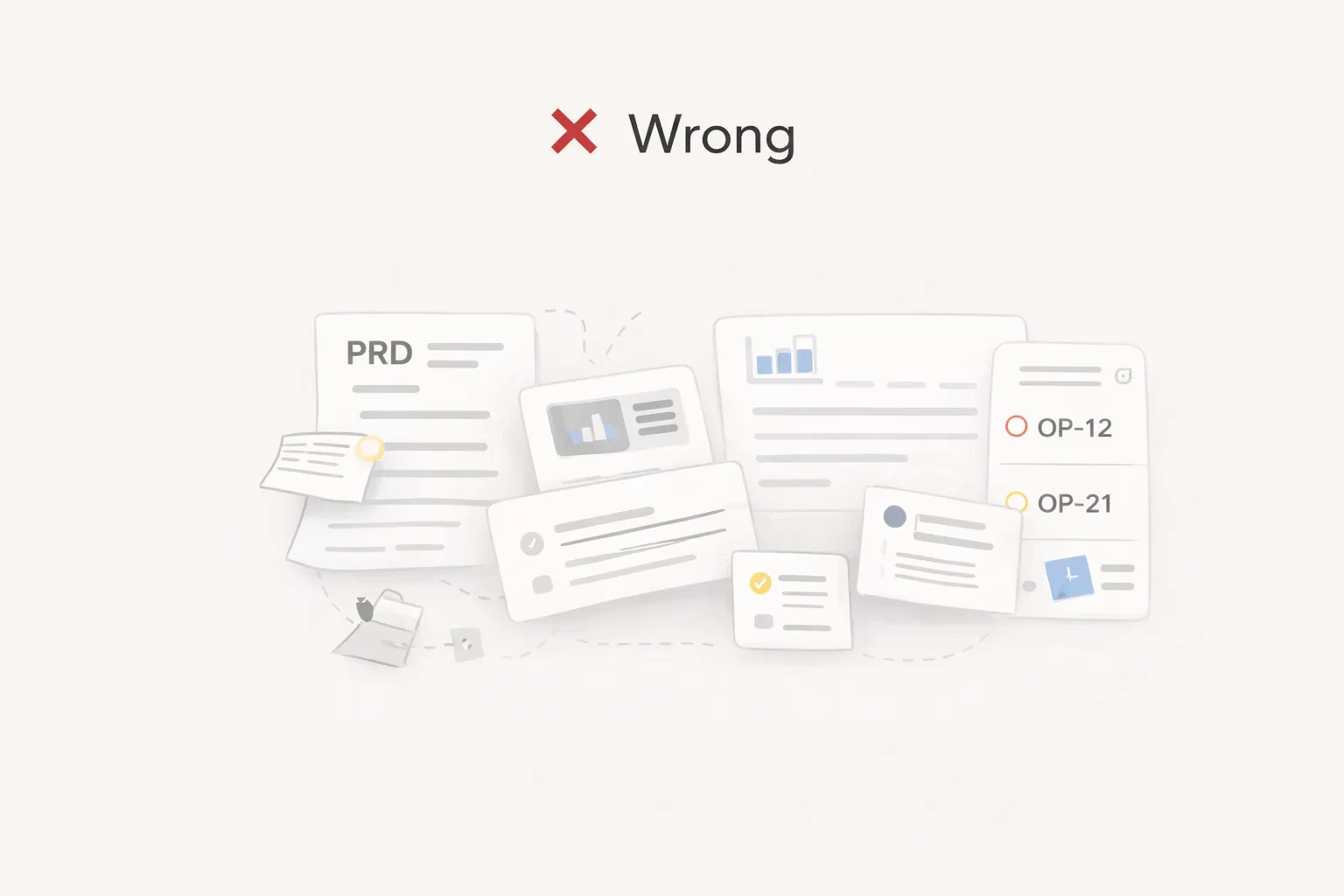
Evidence is scattered, so every decision starts from zero.
I called this the discovery tax: the hours a PM loses searching, re-reading and re-asking before they can make a call. It shows up in four ways.
- Specs that cite no customer evidence.
- Research that gets repeated because nobody can find the last round.
- Roadmap debates settled by the loudest voice, not the strongest signal.
- Engineering tickets that lose the original intent.
The discovery tax
- Slack threads
- CRM notes
- User interviews
- Notion docs
Theora
One evidence layer, linked to every idea
Decisions with receipts
Every call traces back to a customer
How might we use AI to turn the messy reality of discovery into clear decisions about what to build next?
Tension
As the PM I wanted every data point. As the designer I wanted calm.
I played both roles on this project, which made the core trade-off easy to see. PMs need high-density data and deep filters. A dense screen also raises cognitive load and buries the one thing that matters right now.
Data vs. clarity
- The PM view
- Every metric, filter and quote on screen at once.
- Progressive disclosure
- Calm by default. Dense on demand, one click away.
- The designer view
- White space, one focus, complexity hidden.
The answer wasn’t to pick a side. It was a system that grows in complexity only when you ask it to.
Principles
Three principles shaped every screen.
Before drawing screens, I wrote down what an AI tool for product thinking has to get right. These became the guardrails for every design decision.
- 01
Principle
AI should show its work. PMs won’t act on a summary they can’t trace.
In the interface
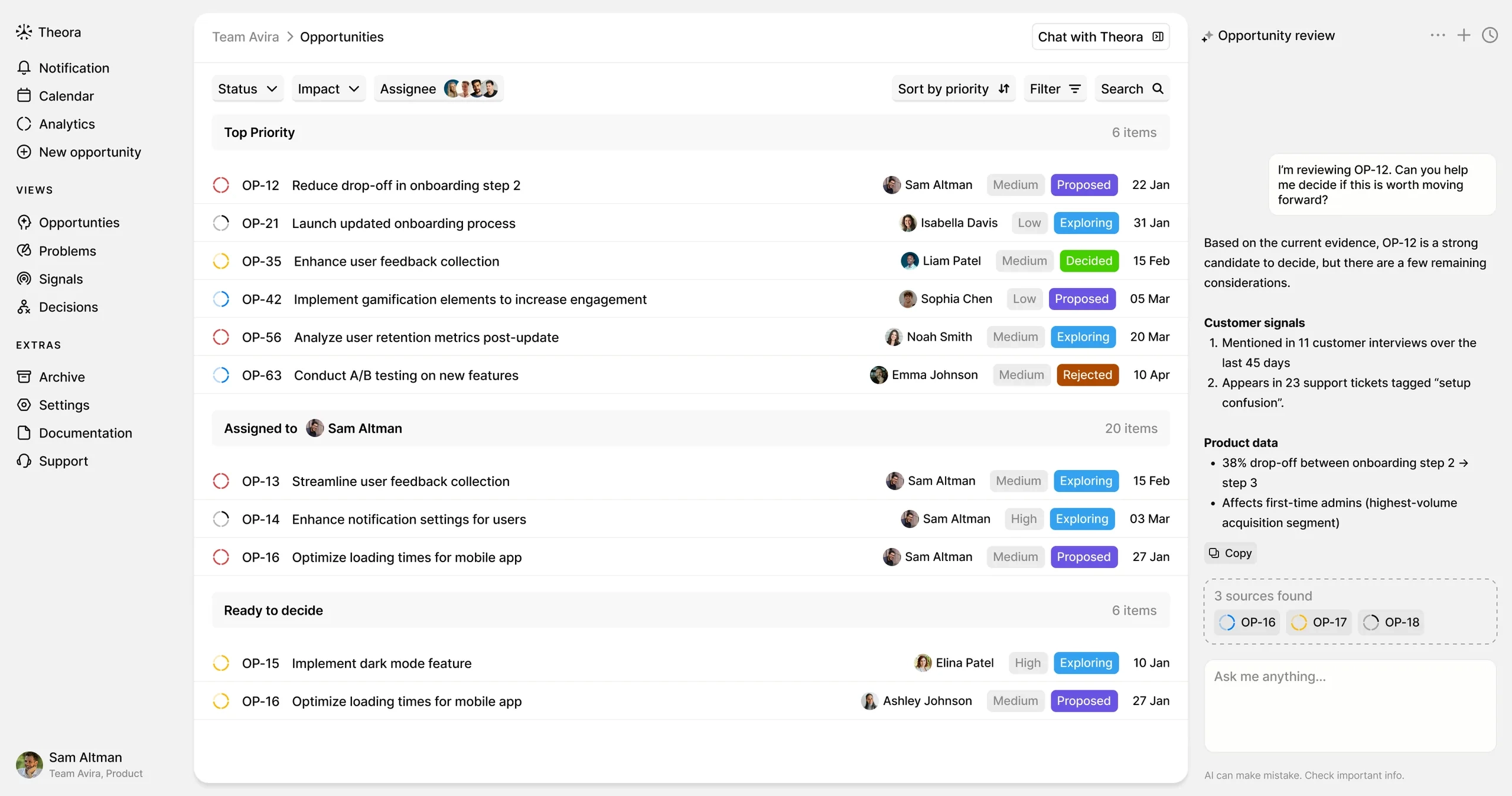
Every AI claim links to the source quote. No receipt, no claim. This builds trust through explainability.
- 02
Principle
The hardest part is knowing what is still a guess.
In the interface
While you write, AI flags requirements with weak or missing evidence. Think of it as a linter for product thinking.
- 03
Principle
Speed matters as much as depth.
In the interface
Keyboard-first design. A ⌘K command palette pulls evidence into a doc without breaking flow.
Solution
Five views that follow a feature from first signal to final spec.
The information architecture mirrors how a feature actually moves through a team. Each view hands off to the next, and the link to the original evidence is never lost.
The evidence chain
- 01
Signal
A customer quote or request
- 02
Opportunity
Grouped into a problem worth solving
- 03
Validation
Enough evidence to commit?
- 04
Spec
Written with AI, linked to proof
- 05
Ticket
Handed to engineering with intent
1. Home: what is worth building?
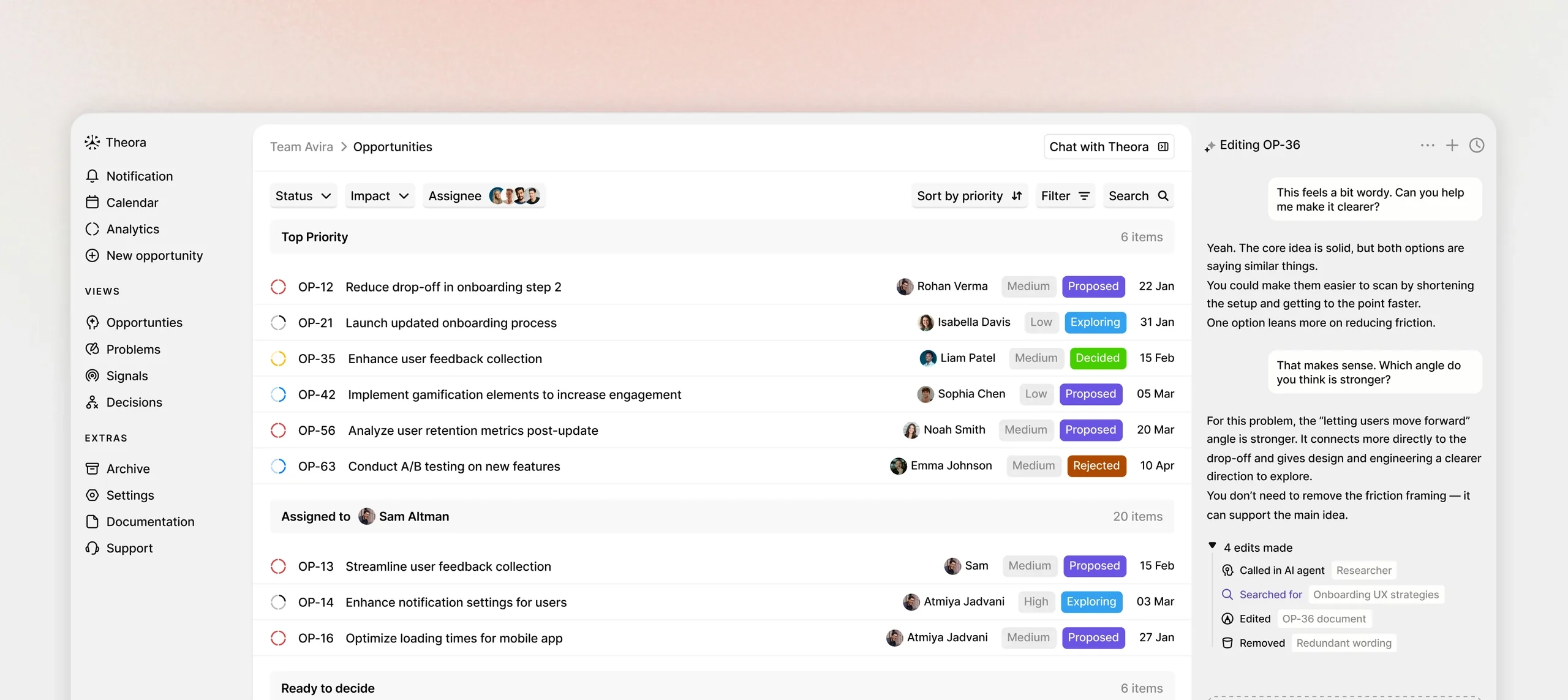
A mission control for product bets. AI confidence scores shift the question from “what can we build?” to “what is worth building?” Ideas without enough customer evidence are flagged automatically.
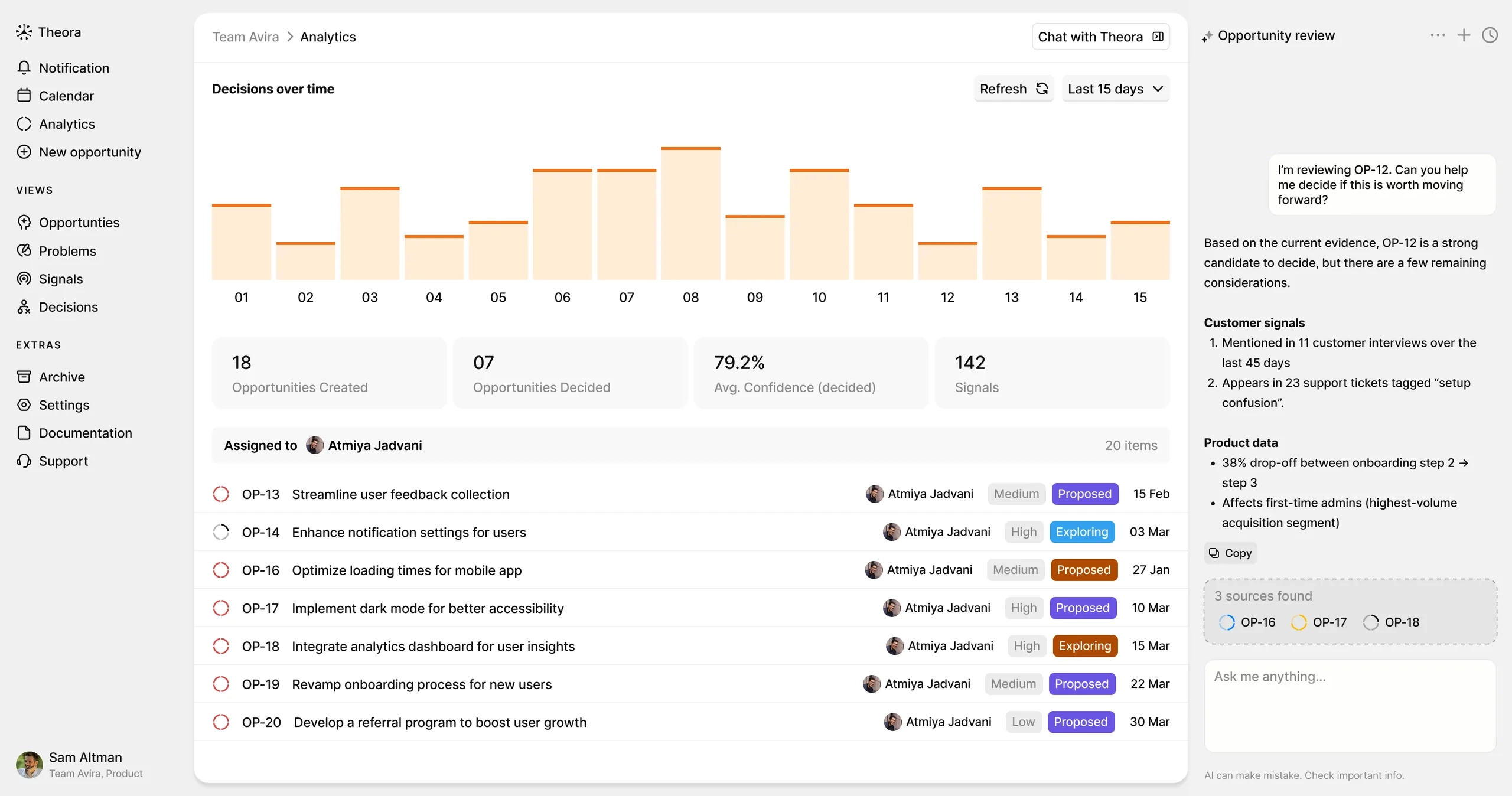
2. Analytics: where is discovery stuck?
Most tools count features shipped. Theora tracks time to validation, so teams can see which ideas are stuck and which ones need more research.
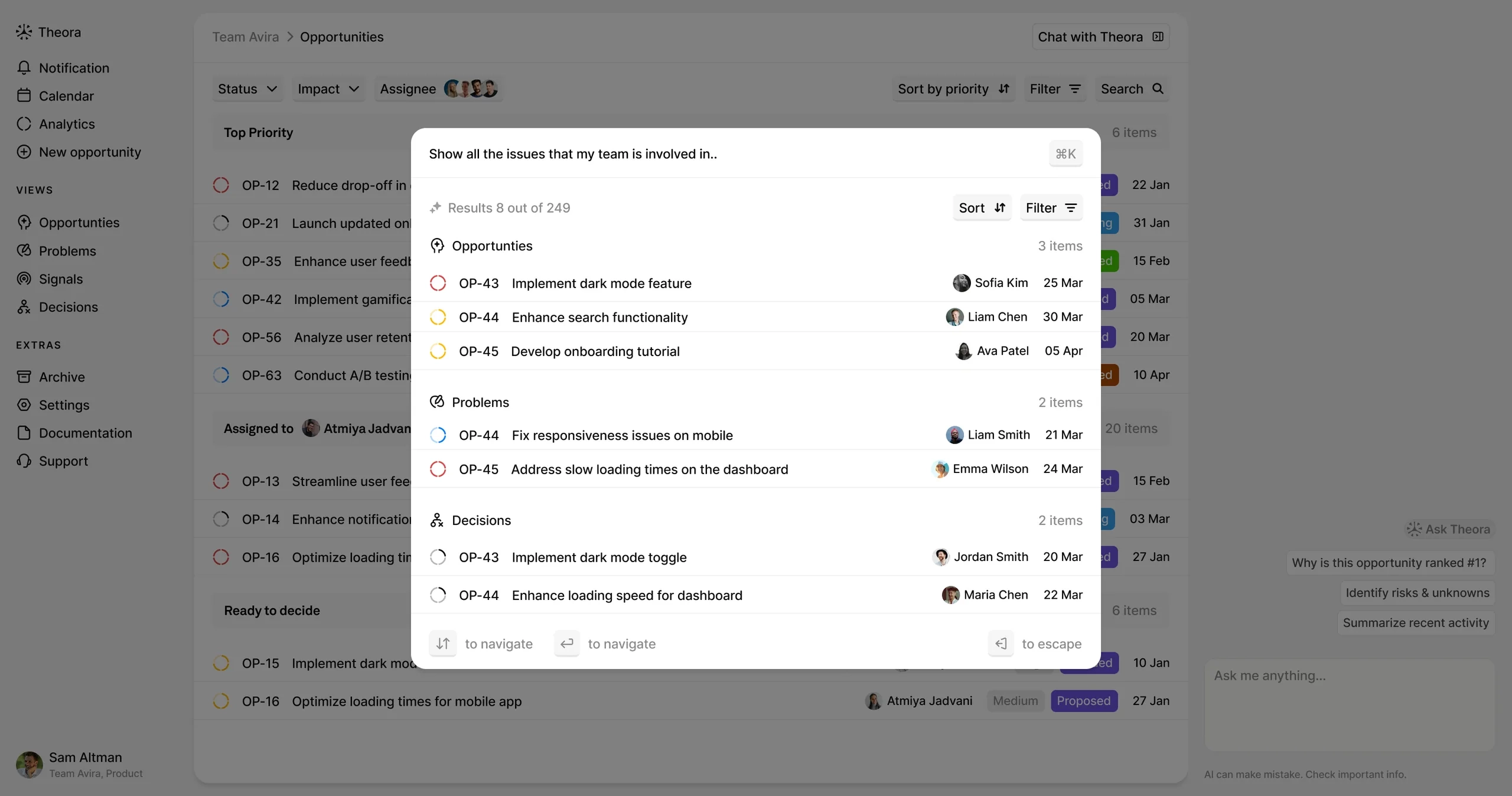
3. Search: find it once, reuse it forever
Semantic search across Slack, interviews and Notion. Related insights are grouped automatically, so nobody redoes research that already exists.
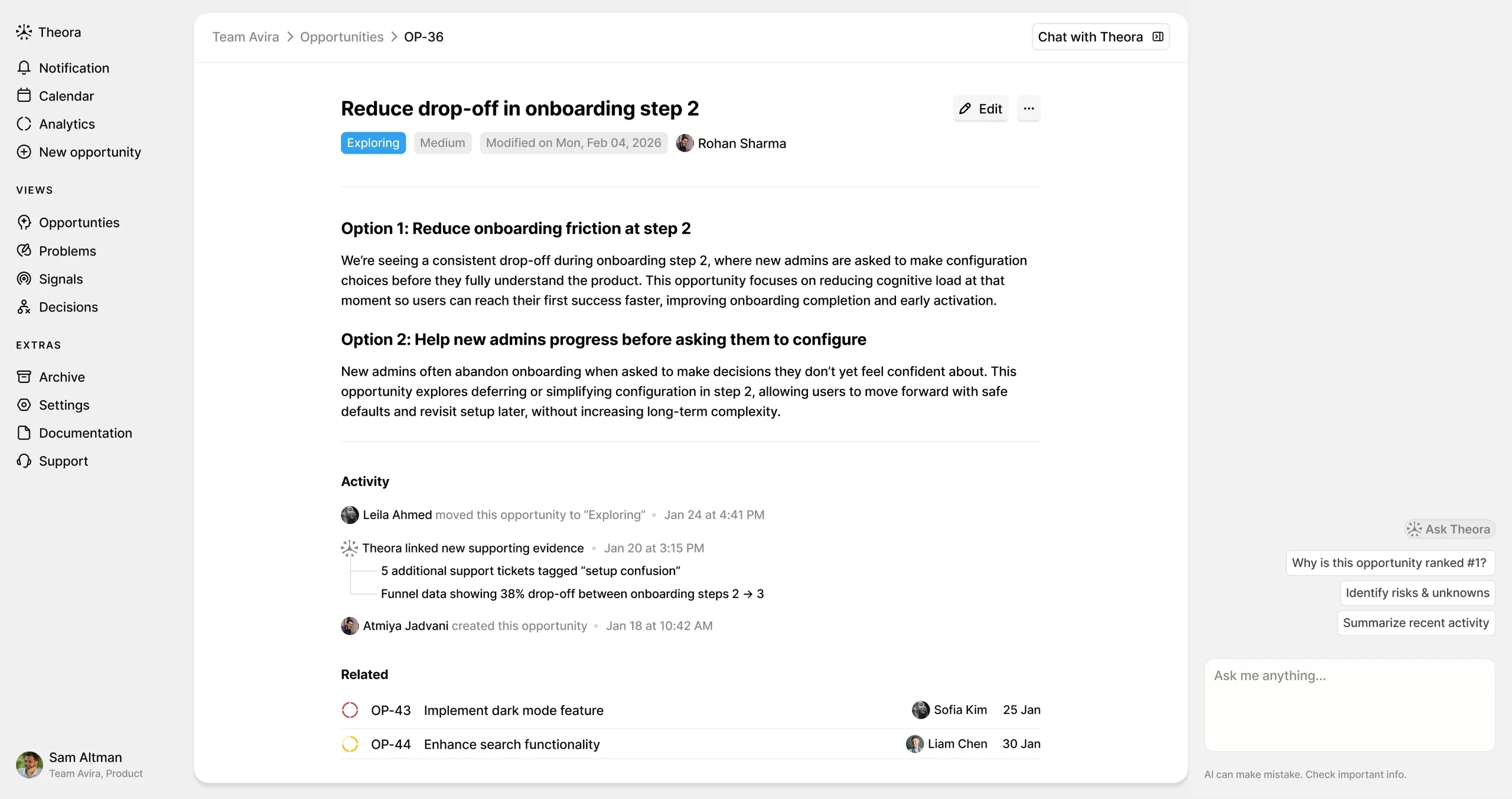
4. Editor, read mode: the stakeholder view
A clean view for sharing plans. AI summaries help stakeholders catch up fast, and dependency maps show how one feature affects another. One source of truth for product intent.
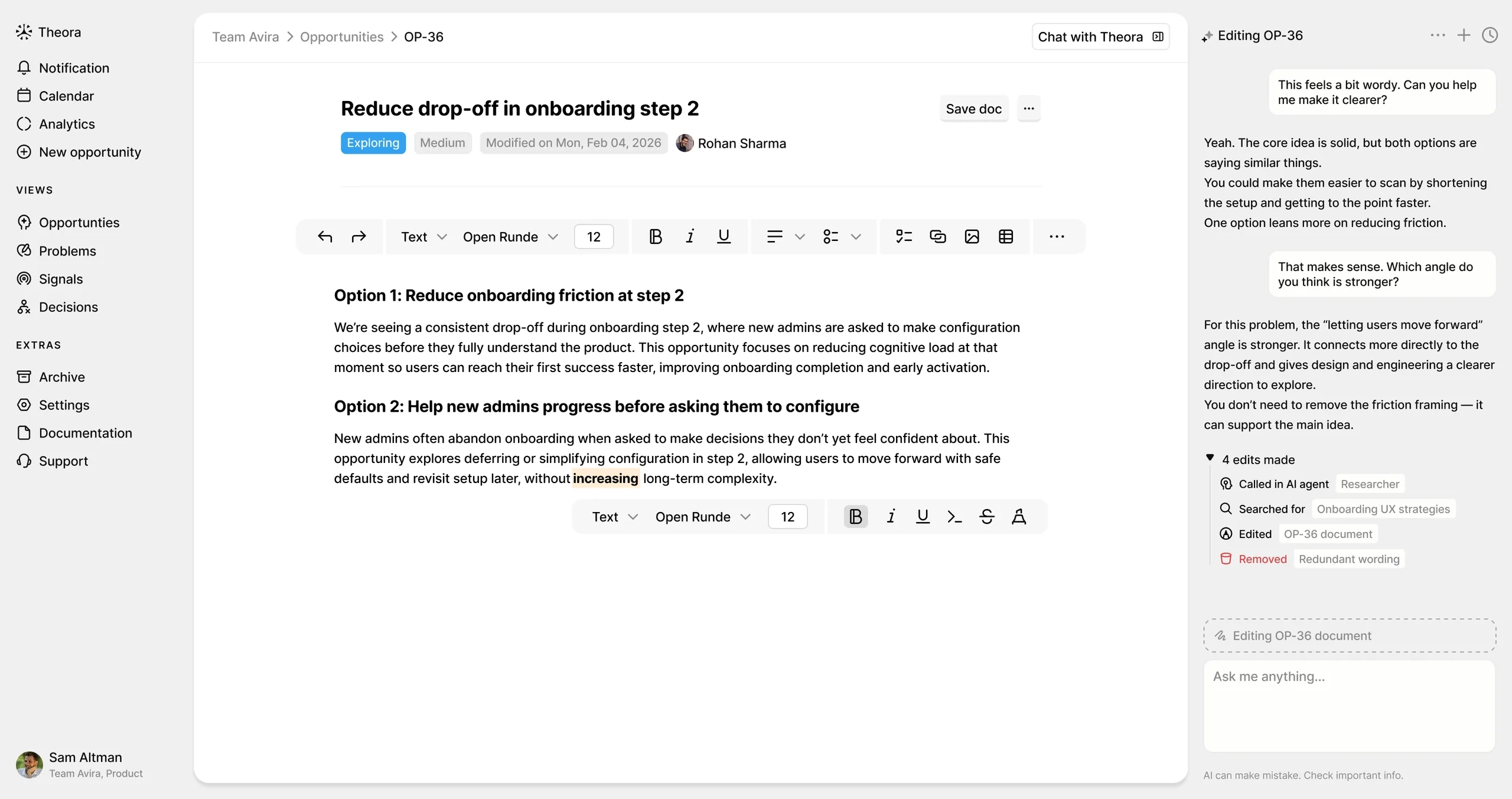
5. Editor, write mode: a research sidekick
Where specs get written. As the PM drafts, AI suggests supporting quotes and challenges one-sided thinking. Once a spec is validated, it generates engineering tickets that keep the link to the evidence.
Impact
A clear product vision, ready to test with real teams.
- Concept to video demo
- 0 → 1
- Core views designed
- 5
- Dual role
- PM + UX
Theora is a concept, so its impact is the thinking it makes visible. It shows how AI can support product judgment instead of replacing it, and how a strong information architecture keeps a dense tool calm.
Reflection
The best AI tools make hard problems simpler, not louder.
The challenge wasn’t designing screens. It was deciding where AI should help and where the human should stay in charge. Getting that boundary right mattered more than any single feature.
What I would do next:
- Run usability tests with PMs on real discovery data.
- Design for real-time collaboration. Product planning is a team sport.
- Measure time to validation as the North Star metric.